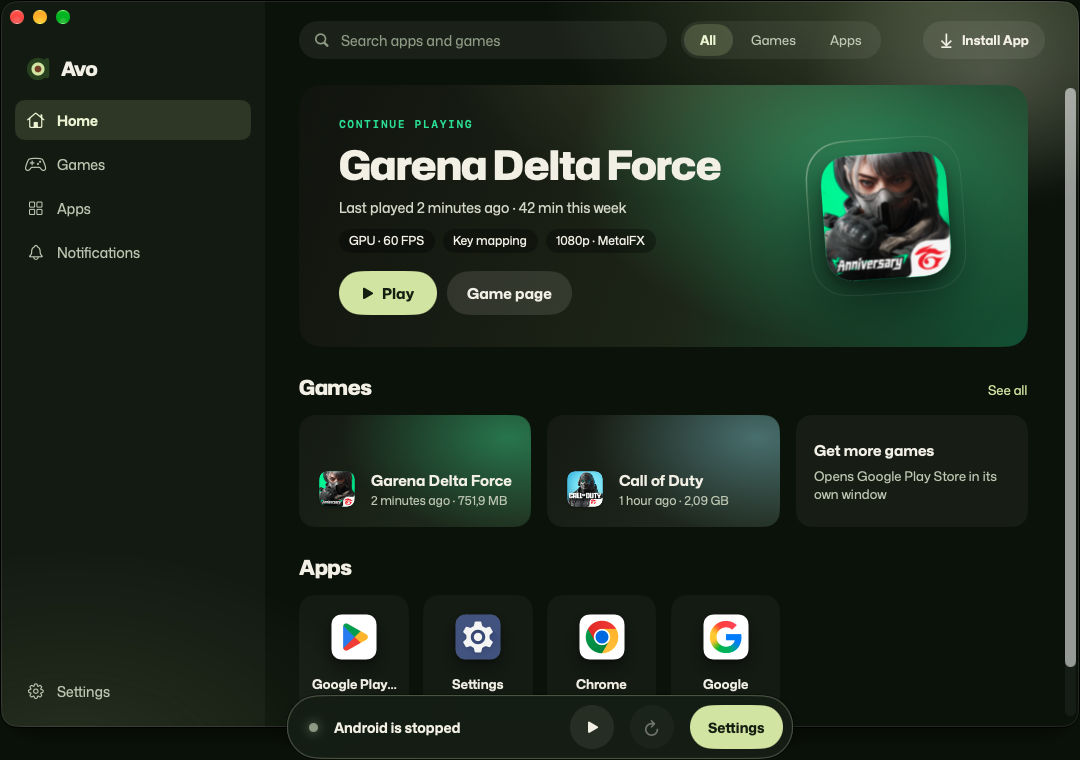
Its own window and Dock icon
Find apps in Launchpad and Spotlight, and switch between them with ⌘Tab.
Version 0.1.0 Preview 1 is out
Each app opens in its own window, like any Mac app. Play games with your keyboard, mouse or controller.
Games
Turn on Game Mode, and your keys and mouse work like fingers on the screen.
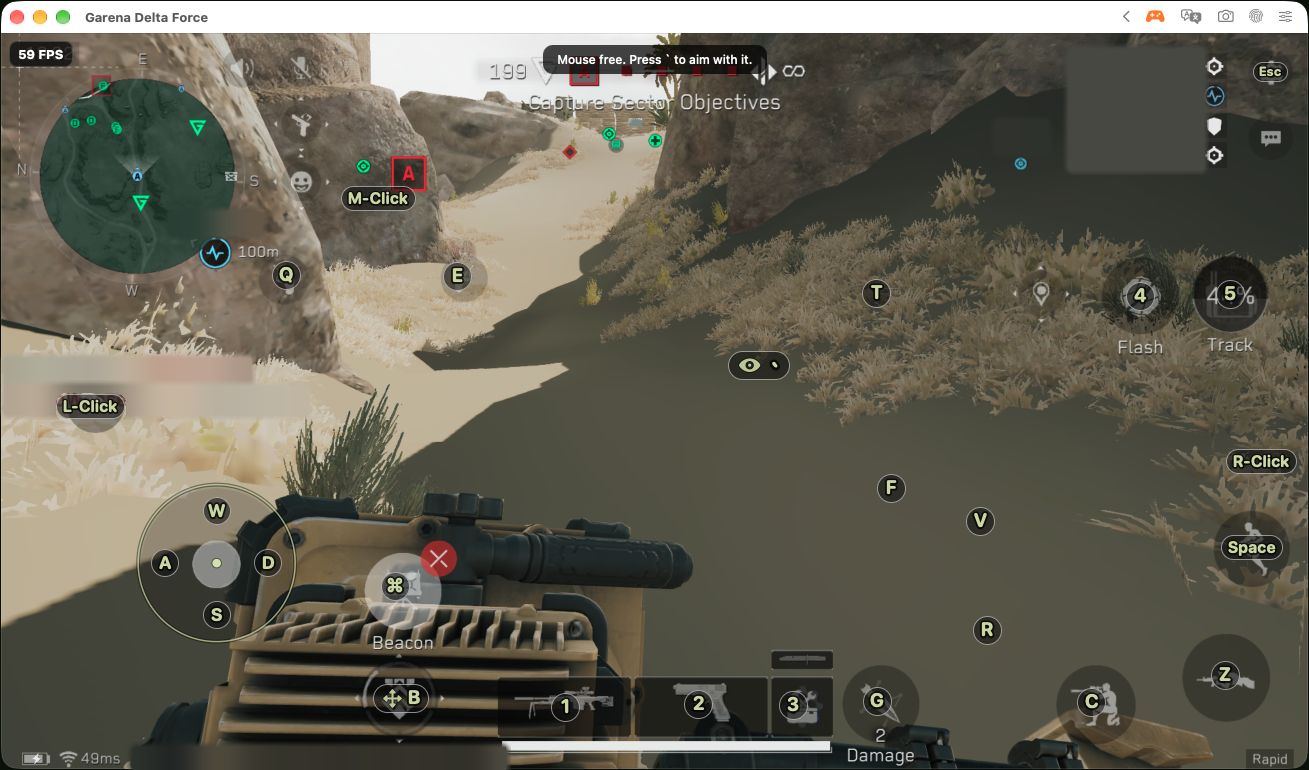
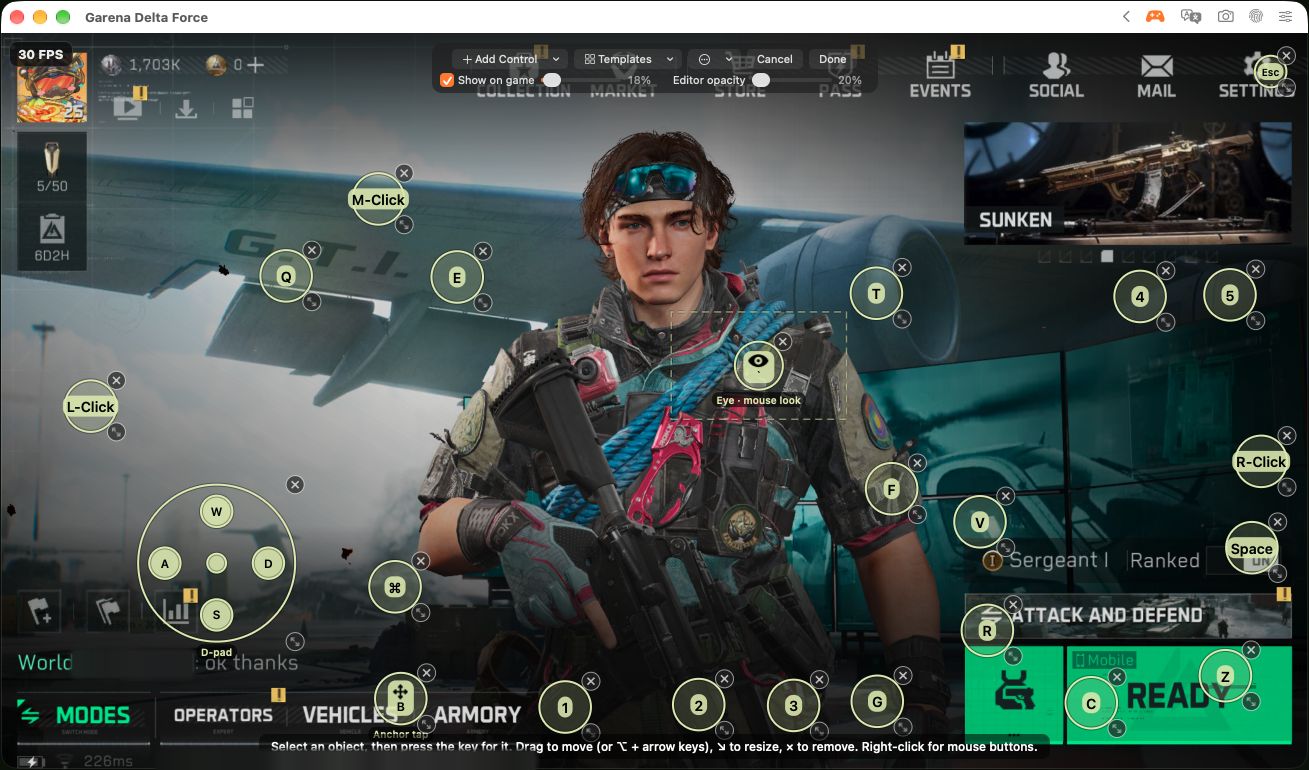
Point at a key label, or tap it, to see what it does.
Player names and account numbers in these screenshots are blurred.
Drag keys onto the game's buttons. Ready-made layouts for shooters, MOBAs and racing games get you started.
In shooters, move the mouse to look around, just like on a PC.
Connect a game controller to your Mac and play.
Save your key layout and share it with other players.
Avo adds no auto-aim or other advantages to games. Some online games may still refuse to run in Avo.
Games are still being tested.
On your Mac
Find apps in Launchpad and Spotlight, and switch between them with ⌘Tab.
App alerts show up in Notification Center.
Copy on your Mac, paste in Android, or the other way around. Links open in your Mac's browser.
Press ⌘⇧T to translate the text in any app.
Dark mode, time zone and language follow your Mac's settings.
Capture just the app, nothing else on your screen.
Trackpad gestures, drag and drop, sound and location work too.
Camera and Bluetooth don't work yet.
Settings
A look around Avo's settings, as they look today.
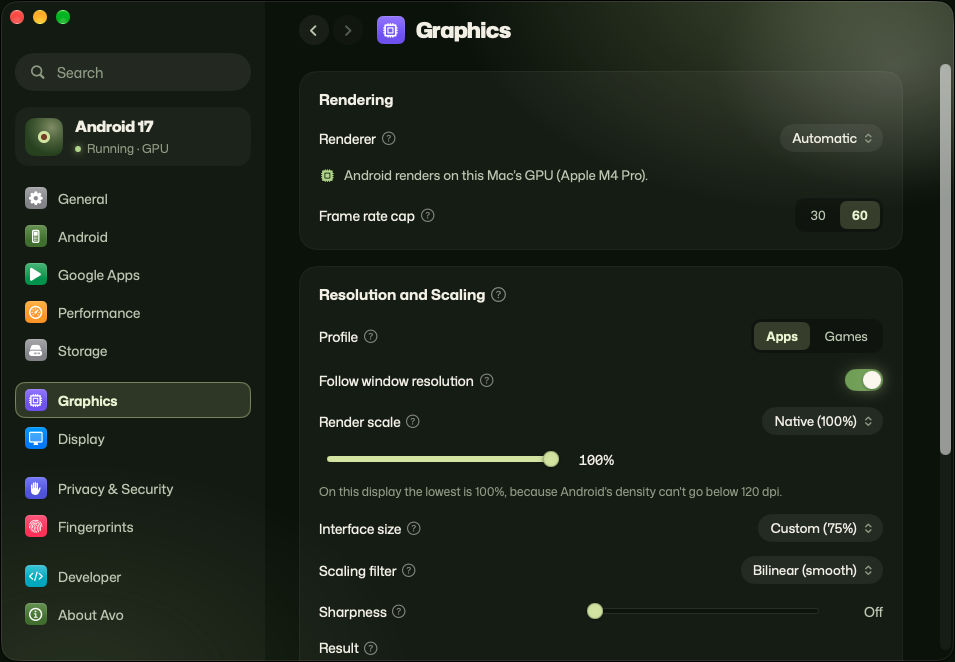
Android draws on your Mac's graphics chip. Cap games at 30, 60, 90 or 120 frames per second or match your display, and choose how sharp and how large things look.
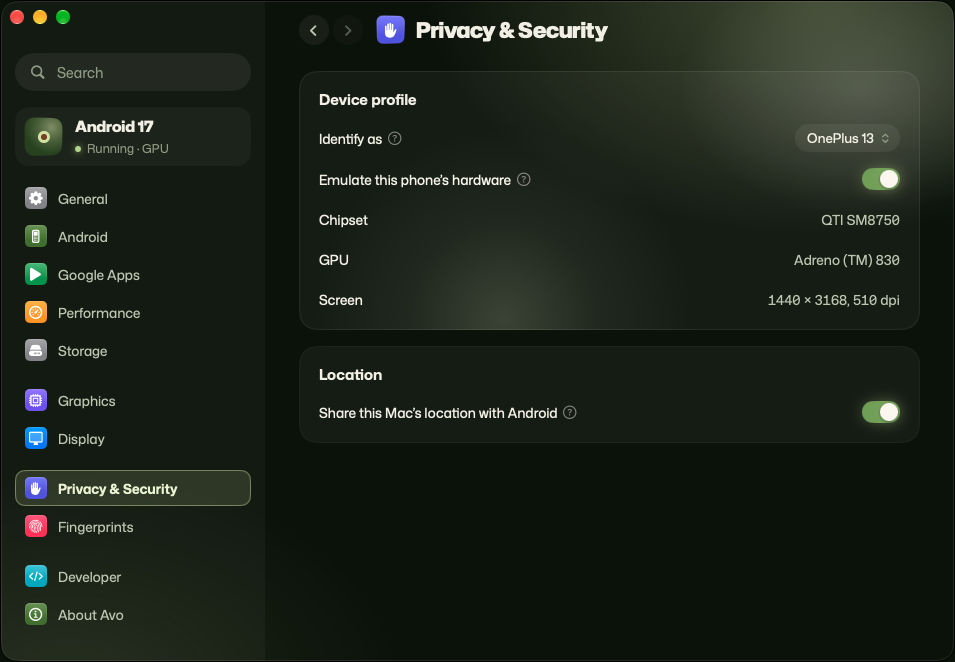
Choose which phone model apps see, and whether Android can use your Mac's location.
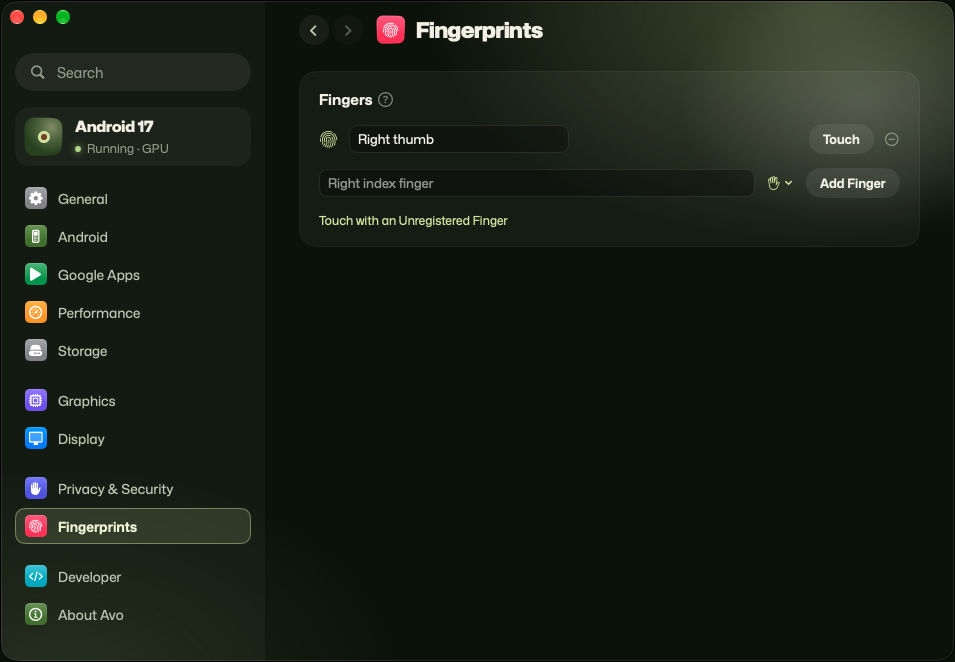
Apps that ask for a fingerprint still work. Name a finger, then click Touch when an app asks for it.
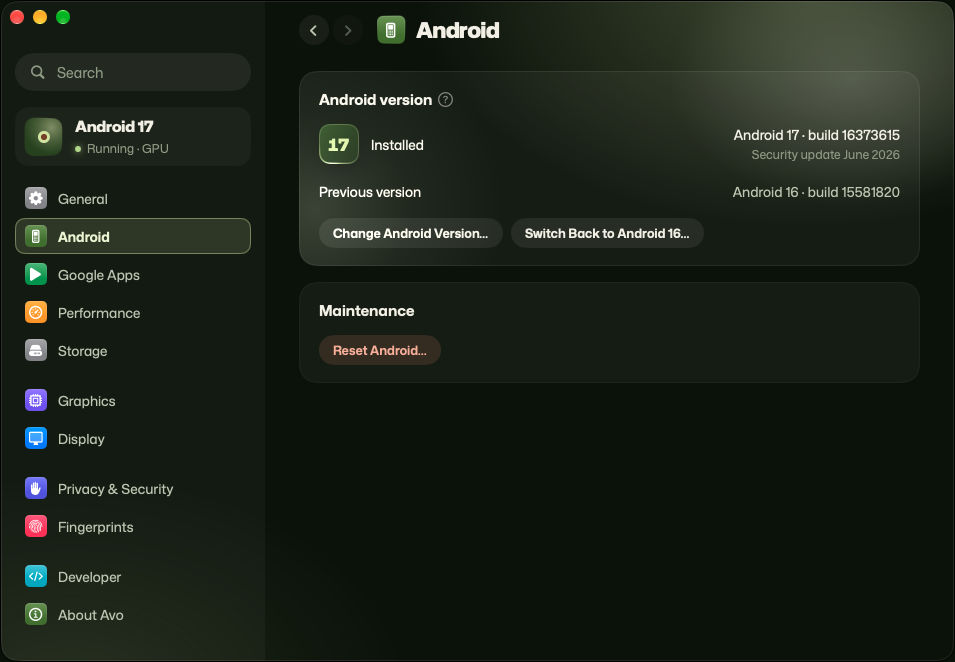
See which version of Android you have, change to another, or go back to the one before. Reset Android for a fresh start.
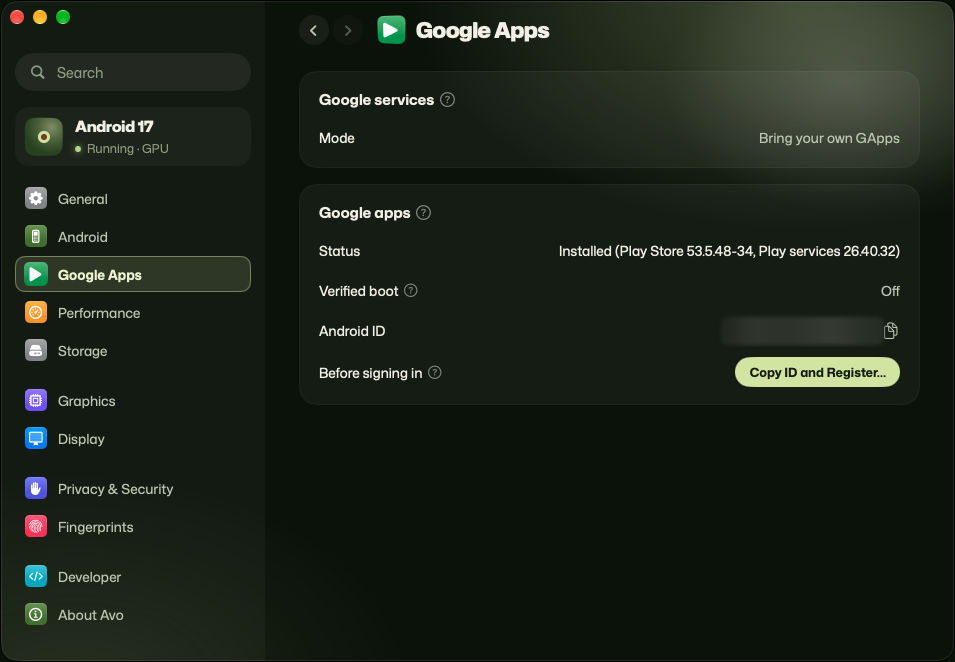
Google Play isn't included, but you can add it. Avo shows what's installed and helps you register with Google before you sign in.
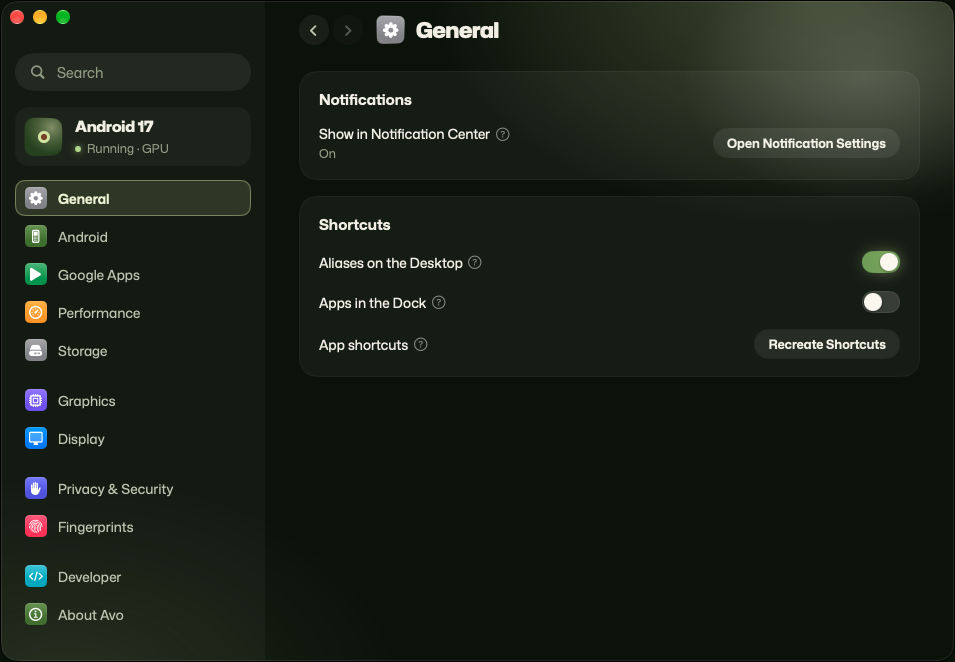
Send app alerts to Notification Center, and put Android apps on your Desktop or in the Dock.
How it works
Avo keeps a small Android system running out of sight. You never see a phone screen.
When you open an app, it appears in its own Mac window.
Apple chips run Android apps directly, without slow translation.
Before you start
For developers
Support Avo
Avo is built and maintained by one independent developer. Your support goes straight to that work: development tools, test hardware, and the Apple Developer Program fee that lets Avo open without a security warning.
Support goes to the developer personally. It is not a purchase and does not come with features or priority help.
Thank you.
FAQ
Yes. No price, no ads and no account needed.
Now, as a preview: use the download button, or get it from GitHub Releases. It isn’t notarized yet, so the first time you open it, go to System Settings › Privacy & Security and click Open Anyway.
We're still testing. Some online games block programs like Avo, and Avo won't try to get around that.
It isn't included, but you can add it in Avo's settings. Other stores, like F-Droid, work too.
Usually not. Most banking apps only run on a real phone.
Android runs walled off from the rest of your Mac, and Avo's code is open for anyone to check.
No. You need a Mac with an Apple chip, M1 or newer.
To the developer, personally. It pays for the tools and hardware Avo is built and tested with, and for the Apple Developer Program fee that lets Avo open without a security warning.